Navisworks Freedom is a free software from Autodesk mainly to view NWD files, which are generated from Navisworks Manage. Navisworks Freedom can handle the basic functions of a 3D CAD model viewer such as orbiting, sectioning, and measuring. It also allows the user to hide and show various nested models in the 'Selection Tree' for more flexibility in their review. Finally, Navisworks Freedom carries over the 'Viewpoints' created in Manage. Viewpoints are saved views in 3D space. They are used to communicate design/constructability issues or other specific information in the 3D model that the viewpoint creator would like the end user to be aware of. There are a handful of other features that Navisworks Freedom that can enhance your model viewing experience.
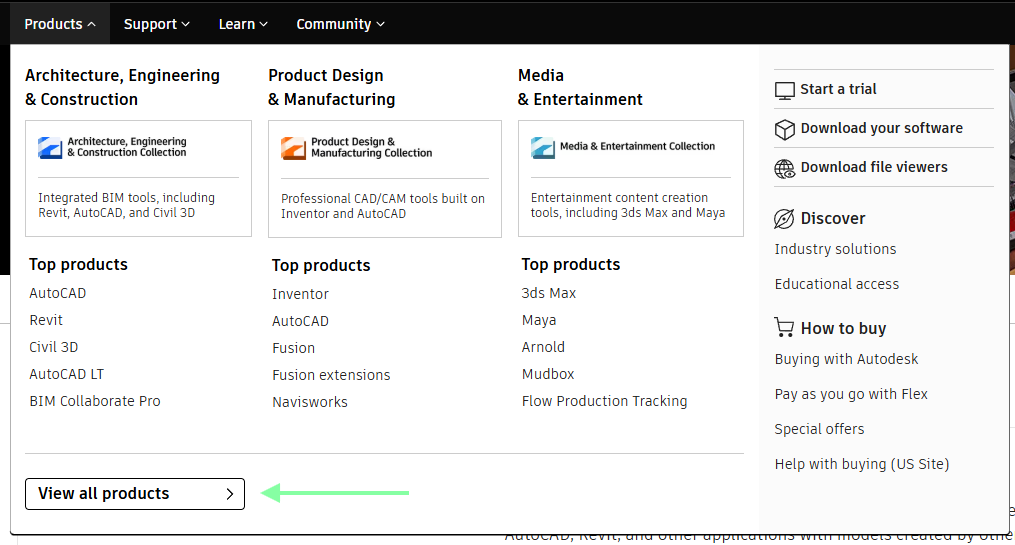
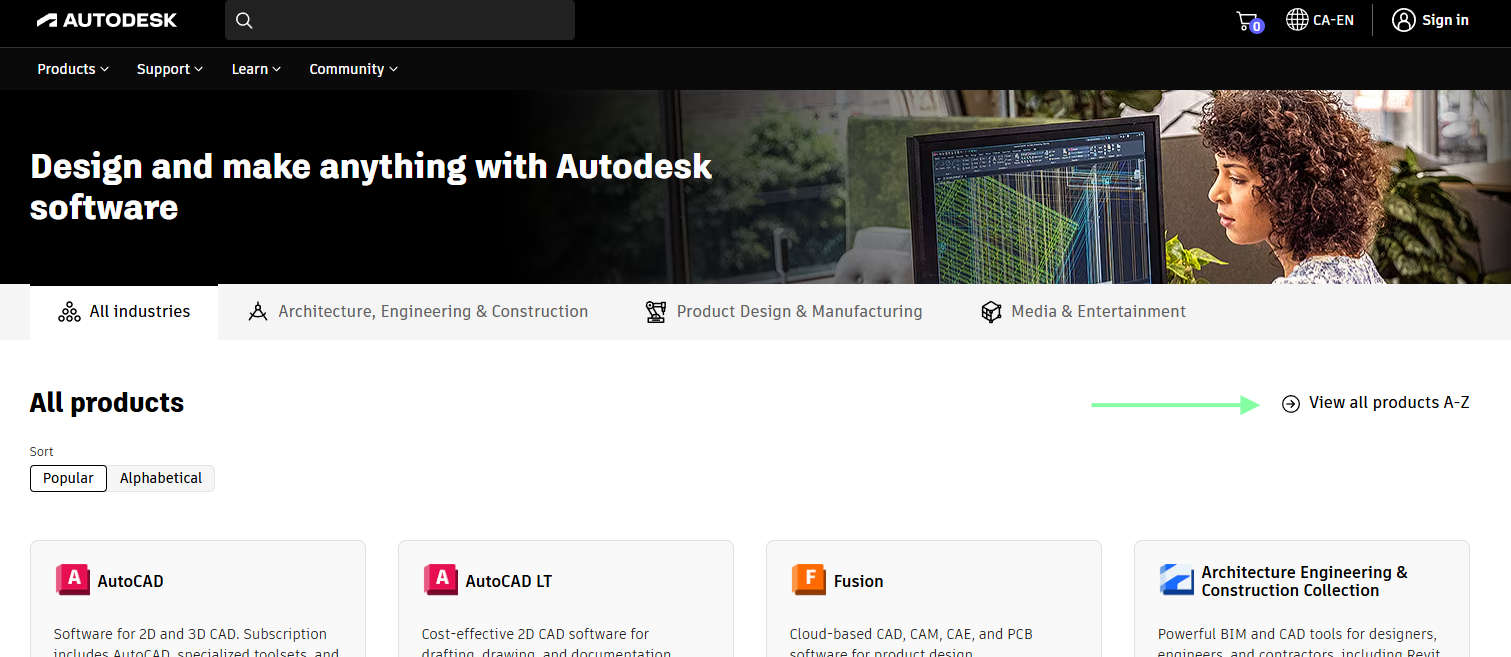
Navisworks Freedom is downloaded from Autodesk's website (https://www.autodesk.com/ca-en). Follow these steps for a quick download guide:
Alternatively, you can follow this web link to direct you to the Navisworks Freedom download page: https://www.autodesk.com/ca-en/products/navisworks/3d-viewers
What is Navisworks - https://youtu.be/Y3_8IMU1ifQ?si=jMfoSM2TWfDbOojT
Navisworks Freedom Navigating - https://youtu.be/C4vc0hyhd48?si=ZUrcrfPuL1FAHdKw
Navisworks Freedom Viewing - https://youtu.be/R1O47w8b3GI?si=o3gXqpf6poOSEpYu
Navisworks Freedom Sectioning - https://youtu.be/X1oYV149b28?si=DWINZxg5ts0UDQuH
Navisworks Freedom Measuring - https://youtu.be/hq4QBHTc9zo?si=WGSOTp7aTukkrCmM
A few basic functions and features of Navisworks Freedom is noted below. This is not an exhaustive list - just a few features that are handy for viewing the model.